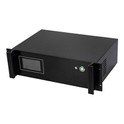
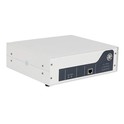
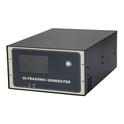
Hey there! As a supplier of 500w ultrasonic generators, I often get asked about how to adjust the power of these nifty devices. In this blog post, I'm gonna break it down for you in a way that's easy to understand, so you can get the most out of your 500w ultrasonic generator.
Understanding the Basics of a 500w Ultrasonic Generator
First things first, let's quickly go over what an ultrasonic generator does. An ultrasonic generator is a device that converts electrical energy into ultrasonic waves. These waves are then used in a variety of applications, such as cleaning, welding, and even in some medical procedures. The "500w" in the name refers to the power output of the generator. This means that the generator can deliver up to 500 watts of power to the ultrasonic transducer, which is the part that actually produces the ultrasonic waves.
Why Adjust the Power?
You might be wondering why you'd need to adjust the power of your 500w ultrasonic generator in the first place. Well, different applications require different levels of power. For example, if you're using the generator for light cleaning tasks, you might not need to use the full 500w. On the other hand, if you're doing heavy-duty welding or cutting, you'll probably want to crank up the power to get the job done quickly and efficiently.
Methods of Adjusting the Power
There are a few different ways to adjust the power of a 500w ultrasonic generator. Let's take a look at some of the most common methods.
Manual Adjustment
Most 500w ultrasonic generators come with a manual power adjustment feature. This usually involves turning a knob or using a slider on the control panel of the generator. By turning the knob or moving the slider, you can increase or decrease the power output of the generator. It's a pretty straightforward way to adjust the power, but it does require you to keep an eye on the control panel and make adjustments as needed.
Digital Control
Some newer models of 500w ultrasonic generators come with digital control systems. These systems allow you to set the power output of the generator using a digital display and buttons. You can usually enter the exact power level you want, and the generator will automatically adjust to that level. This is a more precise way to adjust the power, and it's also more convenient if you need to make frequent adjustments.
Automatic Adjustment
In some cases, you might want the generator to adjust the power automatically based on the load or the conditions of the application. Some 500w ultrasonic generators have built-in sensors that can detect changes in the load or the environment and adjust the power output accordingly. This can help to ensure that the generator is always operating at the optimal power level, which can improve efficiency and reduce wear and tear on the equipment.
Step-by-Step Guide to Adjusting the Power
Now that you know the different methods of adjusting the power, let's go through a step-by-step guide on how to actually do it.
- Read the Manual: Before you start adjusting the power of your 500w ultrasonic generator, it's important to read the user manual. The manual will provide you with specific instructions on how to adjust the power for your particular model of generator. It will also give you important safety information and tips on how to get the best performance from your generator.
- Turn on the Generator: Once you've read the manual, turn on the generator and let it warm up for a few minutes. This will allow the generator to reach its optimal operating temperature and ensure that it's working properly.
- Select the Adjustment Method: Depending on your generator, you can choose to adjust the power manually, digitally, or automatically. If you're using a manual adjustment method, locate the power adjustment knob or slider on the control panel. If you're using a digital control system, use the buttons on the display to enter the desired power level. If you're using automatic adjustment, make sure the sensor is properly installed and functioning.
- Make the Adjustment: Once you've selected the adjustment method, make the necessary adjustments to the power output. If you're using a manual adjustment method, turn the knob or move the slider until you reach the desired power level. If you're using a digital control system, enter the exact power level you want and press the "Enter" button. If you're using automatic adjustment, the generator will adjust the power output automatically based on the load or the conditions of the application.
- Monitor the Performance: After you've made the adjustment, monitor the performance of the generator and the application. Make sure that the generator is operating smoothly and that the application is working as expected. If you notice any problems or if the performance is not satisfactory, you may need to make further adjustments to the power output.
- Save the Settings: If your generator allows you to save the power settings, it's a good idea to do so. This will allow you to quickly recall the settings the next time you use the generator for the same application.
Considerations When Adjusting the Power
When adjusting the power of your 500w ultrasonic generator, there are a few things you need to keep in mind.
Safety First
Adjusting the power of an ultrasonic generator can be dangerous if not done properly. Make sure you follow all the safety instructions in the user manual and wear appropriate safety gear, such as gloves and goggles. Also, make sure the generator is properly grounded and that all the connections are secure before you start making any adjustments.
Compatibility
Not all ultrasonic transducers are compatible with all power levels. Make sure that the transducer you're using is rated for the power output you're setting the generator to. Using a transducer that is not rated for the power output can damage the transducer and the generator.
Efficiency
Adjusting the power of the generator to the optimal level for the application can improve efficiency and reduce energy consumption. However, keep in mind that running the generator at a very low power level for an extended period of time can also reduce its efficiency and lifespan.
Other Power Options
If you find that a 500w ultrasonic generator isn't quite meeting your needs, we also offer other power options. Check out our 4000W Ultrasonic Generator, 3000W Ultrasonic Generator, and 1000W Ultrasonic Generator. These generators offer higher power outputs and are suitable for more demanding applications.
Contact Us for More Information
If you have any questions about adjusting the power of a 500w ultrasonic generator or if you're interested in purchasing a generator, feel free to contact us. We're here to help you find the right solution for your needs and ensure that you get the most out of your ultrasonic equipment. Whether you're a small business owner or a large industrial manufacturer, we have the expertise and the products to meet your requirements.


References
- Ultrasonic Generator User Manuals
- Industry Standards for Ultrasonic Equipment
- Technical Papers on Ultrasonic Technology